
Quick answer
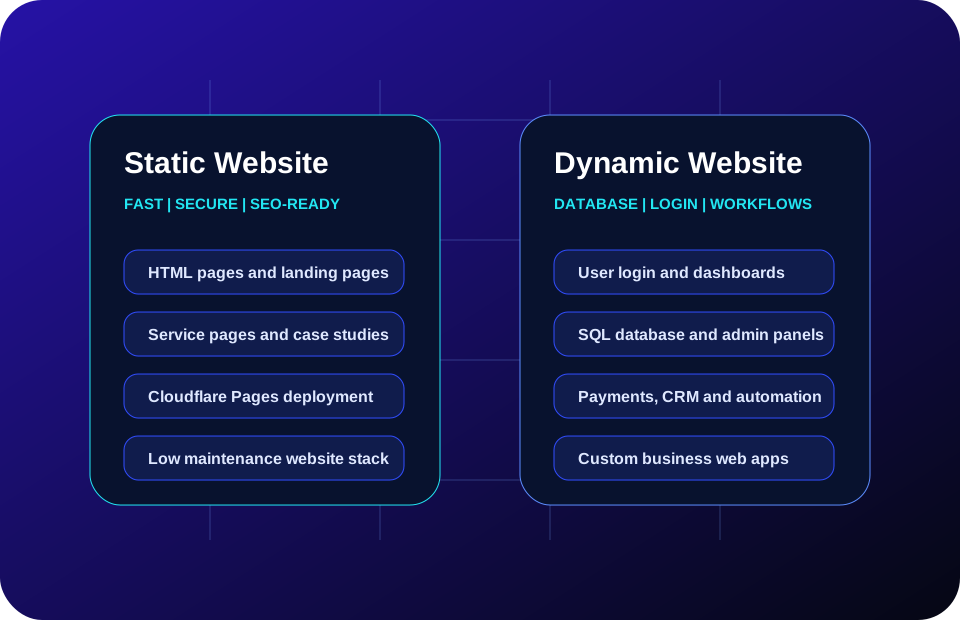
For most new business websites, the best first step is a static website: homepage, services, pricing, work, case studies, contact pages and SEO content. It is faster to launch, easier to host, more affordable to maintain and suitable for Cloudflare Pages deployment.
A dynamic website becomes necessary when the website must create, update or show database-backed information for different users. Examples include CRM systems, customer portals, student dashboards, payment-to-access workflows, reporting panels, ecommerce systems or internal business tools.
Static vs dynamic website comparison
| Business factor | Static website | Dynamic website |
|---|---|---|
| Best use | Public business pages, service pages, SEO pages, landing pages, case studies and blogs. | Login systems, dashboards, databases, admin panels, payments, portals and workflow tools. |
| Speed and hosting | Very fast and simple to host on static platforms such as Cloudflare Pages. | Depends on server, database, backend code, caching and infrastructure quality. |
| Cost | Usually lower because there is no database or backend application to maintain. | Higher because it needs backend logic, database design, security and monitoring. |
| SEO suitability | Excellent for content-heavy pages when metadata, headings, internal links and sitemap are handled well. | Also good if implemented properly, but needs extra care for crawlability and performance. |
| Security surface | Lower because there is no login/database layer in the public website. | Higher because user access, forms, APIs, payments and database rules must be secured. |
| Scalability | Strong for content delivery and public pages. | Strong for complex business operations when architecture is planned well. |
When a static website works best
A static website works best when the main goal is visibility, credibility, lead generation and SEO. It is ideal for a business profile, service pages, pricing pages, case studies, contact pages, Google Business Profile support and educational insight pages.
Fast launch
Static pages can be planned, written, designed and deployed quickly without backend complexity.
SEO foundation
Each service page can have a clear H1, title, meta description, canonical URL, FAQ and internal links.
Low maintenance
There is no public database layer, making the website simpler and cheaper to maintain.
When a dynamic website is needed
A dynamic website is needed when the website is not only a marketing asset, but also a working business system. If users must log in, make payments, see dashboards, update records, access protected content or trigger automation, the system needs backend logic and a database.
Database workflows
Customer records, student records, order data, reports, user access and audit logs need structured database design.
Admin panels
Business teams may need screens to manage enquiries, users, payments, approvals, reports and operations.
Automation
Payment confirmation, account activation, emails, dashboards and recurring reports usually require backend automation.
The hybrid model: static public site plus dynamic business modules
The strongest model for many businesses is hybrid. Keep the public website static and SEO-friendly, then add dynamic modules only where needed. This keeps the brand website fast and affordable while still allowing serious business systems behind it.
Examples: a static website with a CRM dashboard, a static service site with a payment portal, a static education website with a student login system, or a static ecommerce landing system with order and inventory dashboards.
Decision checklist
- Choose static if you mainly need brand presence, SEO pages, service pages, case studies and enquiries.
- Choose dynamic if you need login, database records, dashboards, reports, payments or admin workflows.
- Choose hybrid if your public pages must rank while your operations need backend automation.
- Start static if budget is limited, then add dynamic systems after real business workflows are clear.