Database automation turns scattered work into reliable operations.
Many businesses start with spreadsheets, manual follow-ups and disconnected reports. This works for a short time, but it becomes risky when enquiries, payments, customers, inventory, students, orders or service records grow.
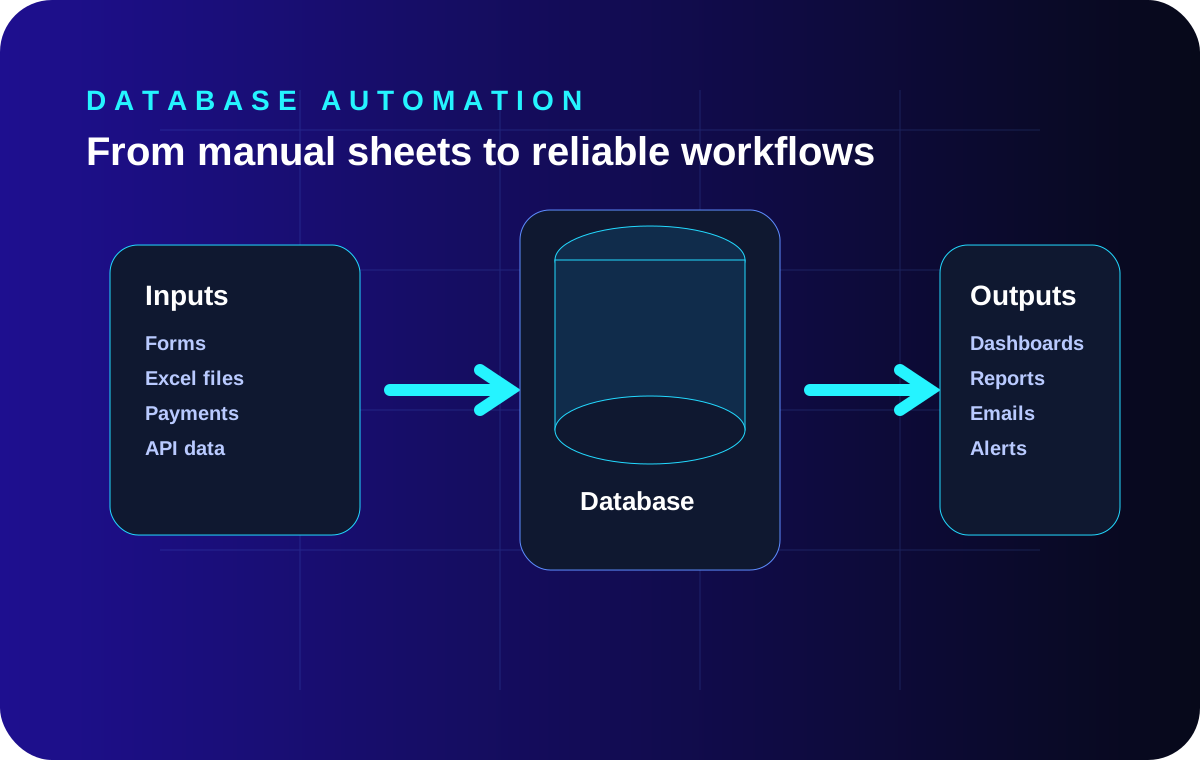
Database automation creates a controlled system where forms, payments, imports, dashboards, alerts and reports can work from one reliable data foundation.
Common database automation use cases
- Excel or CSV import into structured database tables.
- Payment-to-access workflow for customers, students or members.
- Lead capture, CRM pipeline and follow-up status.
- Operational dashboards for management visibility.
- Scheduled reports, alerts and status checks.
- Data cleanup, duplicate removal and validation rules.
A practical automation workflow
| Stage | What happens | Business value |
|---|---|---|
| Collect | Forms, uploads, payments or API data are captured. | Less manual entry. |
| Validate | Rules check duplicates, missing fields and invalid data. | Cleaner operations. |
| Store | Data moves into structured tables. | Reliable reporting. |
| Act | Dashboards, emails, access grants or tasks are triggered. | Faster execution. |
When should a business automate?
Automation is useful when manual work causes delay, repeated mistakes, weak reporting, missed follow-ups or unclear revenue visibility. The best starting point is usually one important workflow: enquiry to follow-up, payment to access, or data import to dashboard.